ShowMyPC Remote Support and Access2550
Publisher Description
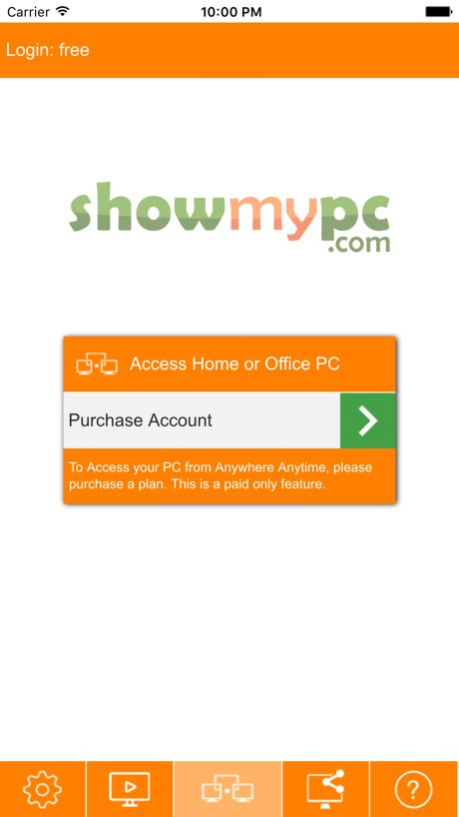

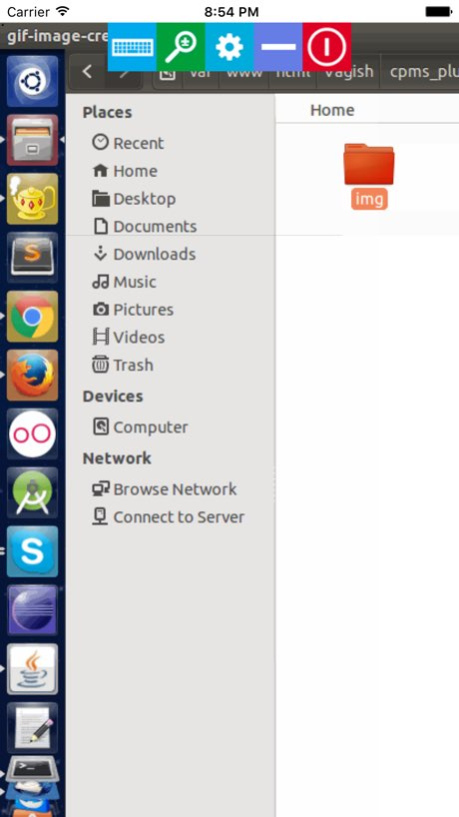
ShowMyPC Remote Support and Access client can be used with various ShowMyPC services. ShowMyPC provides Desktop Sharing, Instant Online Meetings and Remote Access with FREE and advanced Paid Services.
Users get the ability to invite other users for screen sharing and View Remote PC after getting a password.
The following Access Home or Office PC subscription plans are now available for sale through in-app purchase:
1 Computer: $4.99/month
3 Computers: $8.99/month
5 Computers: $13.99/month
10 Computers: $19.99/month
All these are recurring subscriptions billed every month to your iTunes Account, until the subscription is cancelled.
. Subscription automatically renews unless auto-renew is turned off at least 24-hours before the end of the current period
. Account will be charged with the subscription amount as per the plan purchased for renewal within 24-hours prior to the end of the current period
. Subscriptions may be managed by the user and auto-renewal may be turned off by going to the user’s Account Settings after purchase
. No cancellation of the current subscription is allowed during active subscription period
Please refer to our Terms and Privacy Policy as below.
Terms of Service:
http://showmypc.com/terms-of-service.html
Privacy Policy:
http://showmypc.com/privacy-policy.html
Version History This version releases a new UI. The connection time is faster along with seamless access to unattended PCs.
This version also includes options to purchase our Access Home or Office PC plans. 2550 04/13/2016 Removed error message on app launch on some devices. 2504 05/26/2013 2503 12/19/2012
About ShowMyPC Remote Support and Access
The company that develops ShowMyPC Remote Support and Access is ShowMyPC, Inc.. The latest version released by its developer is 2550. This app was rated by 1 users of our site and has an average rating of 2.0.
To install ShowMyPC Remote Support and Access on your iOS device, just click the green Continue To App button above to start the installation process. The app is listed on our website since 2026-10-15 and was downloaded 143 times. We have already checked if the download link is safe, however for your own protection we recommend that you scan the downloaded app with your antivirus. Your antivirus may detect the ShowMyPC Remote Support and Access as malware if the download link is broken.
How to install ShowMyPC Remote Support and Access on your iOS device:
- Click on the Continue To App button on our website. This will redirect you to the App Store.
- Once the ShowMyPC Remote Support and Access is shown in the iTunes listing of your iOS device, you can start its download and installation. Tap on the GET button to the right of the app to start downloading it.
- If you are not logged-in the iOS appstore app, you'll be prompted for your your Apple ID and/or password.
- After ShowMyPC Remote Support and Access is downloaded, you'll see an INSTALL button to the right. Tap on it to start the actual installation of the iOS app.
- Once installation is finished you can tap on the OPEN button to start it. Its icon will also be added to your device home screen.
Program Details
System requirements
Download information
Pricing
Version History
version 2550
posted on 2026-10-15
Version History This version releases a new UI. The connection time is faster along with seamless access to unattended PCs.
This version also includes options to purchase our Access Home or Office PC plans. 2550 04/13/2016 Removed error message on app launch on some devices. 2504 05/26/2013 2503 12/19/2012
version 2550
posted on 2026-09-03
Version History This app has been updated by Apple to prepare for watchOS 27 compatibility. No new features are included.
This version releases a new UI. The connection time is faster along with seamless access to unattended PCs.
This version also includes options to purchase our Access Home or Office PC plans. 2550 04/13/2016 Removed error message on app launch on some devices. 2504 05/26/2013 2503 12/19/2012
version 2550
posted on 2026-08-21
Version History This update from Apple will improve the functionality of this app. No new features are included.
This version releases a new UI. The connection time is faster along with seamless access to unattended PCs.
This version also includes options to purchase our Access Home or Office PC plans. 2550 04/13/2016 Removed error message on app launch on some devices. 2504 05/26/2013 2503 12/19/2012
version 2550
posted on 2016-04-13
This app has been updated by Apple to display the Apple Watch app icon.
This version releases a new UI. The connection time is faster along with seamless access to unattended PCs.
This version also includes options to purchase our Access Home or Office PC plans.
version 2550
posted on 2016-04-13
Apr 13, 2016 Version 2550
This app has been updated by Apple to use the latest Apple signing certificate.
This version releases a new UI. The connection time is faster along with seamless access to unattended PCs.
This version also includes options to purchase our Access Home or Office PC plans.
version 2550
posted on 2016-04-13
Apr 13, 2016 Version 2550
This version releases a new UI. The connection time is faster along with seamless access to unattended PCs.
This version also includes options to purchase our Access Home or Office PC plans.
version 2550
posted on 2016-04-13
Apr 13, 2016 Version 2550
This app has been updated by Apple to display the Apple Watch app icon.
This version releases a new UI. The connection time is faster along with seamless access to unattended PCs.
This version also includes options to purchase our Access Home or Office PC plans.
version 2550
posted on 2012-12-19
version 2550
posted on 1970-01-01
13 avr. 2016 Version 2550
This version releases a new UI. The connection time is faster along with seamless access to unattended PCs.
This version also includes options to purchase our Access Home or Office PC plans.
version 2550
posted on 1970-01-01
2016年4月13日 Version 2550
This version releases a new UI. The connection time is faster along with seamless access to unattended PCs.
This version also includes options to purchase our Access Home or Office PC plans.
